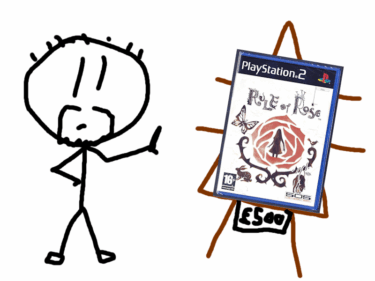
I've talked about this once or twice before, but it doesn't hurt to say it again. I firmly believe that we've reached a point in time where collecting retro games is impractical, undesirable and inconvenient.
Don't get me wrong; there will always be an appeal to having original hardware and original media, and I don't begrudge anyone their choice to build up a substantial retro collection. I also think it's a bit sad that we've reached the stage we're at now. But with the absurd, exploitative prices that are being charged for both systems and media today — coupled with the fact that there's no real guarantee either of those things will actually work when you get them — I am very much a convert to the school of thought that says you're better off spending the money you would have spent on one copy of Rule of Rose for the PlayStation 2 on ways to get a "modern retro" setup up and running.
There are many ways you can do this. The absolute simplest way is to buy retro rereleases, either on modern platforms that you happen to own, or with specialist devices such as mini consoles or, of course, the Evercade. There are many benefits to these modern rereleases, such as bugfixes of games that shipped in a dodgy state back in the day, modern convenience features such as save states, rewind functions and in-game reference material, plus the fact they're generally a whole lot cheaper than buying the original releases and still fun to collect. If you were to buy all the games on the recently released NEOGEO Arcade 1 cartridge for Evercade in their original format, you'd be talking four figures. The cart is twenty quid. Do, as Atari once said, the math.
The only downside to officially licensed rereleases is that those licenses are sometimes hard to come by — or even completely impossible. Don't expect to see too many rereleases of racing games with licensed cars or licensed soundtracks, for example. Don't expect to see movie licenses making a return, either. But you might be surprised what licensors are still willing to play ball with, as the Evercade library to date shows.
Another relatively straightforward way is to devote a PC or similar device (like a Raspberry Pi, Steam Deck or Chinese gaming handheld) to it and install a suitable suite of emulators and organisation tools.
For Windows PCs that you also want to do other things, I would recommend Launchbox (even if they took to using odious AI images in their promotional emails of late), as this is not only a good means of organising all the games you might want to play, it also automatically retrieves additional information like box art, descriptions and even PDF copies of manuals where possible. The paid version also has a "Big Box" mode where the interface is designed to be used with a controller on a TV.
For other devices that are going to be dedicated to retro gaming, I highly recommend Batocera, which is a Linux distribution, but don't run away scared. It's all preconfigured to work in a similar fashion to something like Launchbox, and is pretty straightforward to get games up and running in. It's also highly customisable, so you can make the whole thing look and feel how you want it to.
The relative "luxury option", particularly if you still have a CRT knocking around that you want to use for the authentic look and feel, is MiSTer. As I've alluded to in a few posts recently, the absolute easiest way to get started with this is with a prebuilt device like the Multisystem 2 (my device of choice) or the upcoming SuperStation One. Alternatively, you can built your own — that's nowhere near as scary as it sounds, and it allows you a tad more customisability, though with the pricing of the Multisystem 2 and SuperStation One it's actually cheaper to buy one of those prebuilt options in a lot of cases — though note you will still need to provide accessories and storage.
If you're lucky enough to still have working classic hardware around, the first thing I recommend you do is investing in a modern power supply for them. My Mega Drive was prone to rolling noise on the screen with its original power supply, but replacing it gave a completely stable, flicker-free picture.
Once you've done that, invest in an EverDrive. Cheaper flashcart options exist, but EverDrives are premium products that support pretty much everything you might want to play on a piece of classic hardware. Not only that, in the case of systems that had add-ons, they can simulate the presence of the add-on, too — for example, the Mega EverDrive Pro can run Mega CD games.
For classic home computers, flashcarts are also available, or there are also plenty of media emulators you can use to "trick" the computer into believing it's using a real floppy drive or tape deck. For the Atari 8-bit, for example, I enjoyed using the SDrive-MAX device, which allows you to load executable files, disk images and tape images from an SD card. Similar devices are available for most classic computer platforms.
I won't lie; it's easy to spend a few hundred quid on this stuff — possibly even over a thousand. But once you're done, you have a great setup for what is, after all, the important bit of being interested in retro games: actually playing the games. And the kit you have will play pretty much anything without you having to pay some rando on eBay a three-figure sum just to play one game.
Want to read my thoughts on various video games, visual novels and other popular culture things? Stop by MoeGamer.net, my site for all things fun where I am generally a lot more cheerful. And if you fancy watching some vids on classic games, drop by my YouTube channel.
If you want this nonsense in your inbox every day, please feel free to subscribe via email. Your email address won't be used for anything else.
Discover more from I'm Not Doctor Who
Subscribe to get the latest posts sent to your email.
