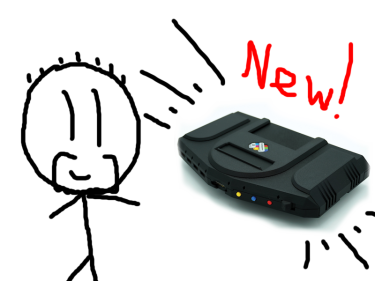
So! My MiSTer Multisystem from the lovely folks at Heber and the Retro Collective arrived yesterday, and… I've been spending a lot of time setting it up. This was entirely expected, so I'm not annoyed or anything — though I was a tad surprised that the update_all script took nearly 24 full hours to complete. It's my fault for running it on Wi-Fi in the room that has the weakest Wi-Fi signal in the whole house. I thought before I started, "I wonder if I should do this over Ethernet," and I knew on some level even then that the answer to that was an emphatic "yes", but still.
Anyway, it is done now, and now I have a working, functional MiSTer Multisystem up and running. There's one thing I haven't been able to test thus far, which is analogue connectivity to a CRT TV — it seems the cable I bought to use with the MiSTer isn't quite right, so I have some replacement options arriving tomorrow — but from a very brief play earlier, I'm very impressed so far. While there is plenty of scope for nerdy nerds to get deep into the weeds tinkering with things and trying to "optimise" their experience, after running update_all and installing some games, the whole thing is remarkably straightforward and easy to use, particularly if you're just connecting up to an HDMI display.
On the offchance you don't know what a MiSTer Multisystem is, it's… well, it's sort of complicated. MiSTer itself is an open-source project that uses FPGA hardware emulation to recreate the experience of using classic computer and gaming hardware. It is different from software emulation for reasons I don't entirely understand, but the gist of it is that an FPGA chip can be reconfigured by issuing it commands, and in doing so you can make an extremely accurate simulation of a physical piece of electronic hardware. The upshot of it is that FPGA emulation has the potential to be much smoother and more authentic to the original experience than software emulation is.
The MiSTer Multisystem — or, to be more accurate, the MiSTer Multisystem 2, which is what I've got — is an attempt to make MiSTer more accessible. For many MiSTer users, putting together a MiSTer system involved getting a DE-10 Nano little computer-on-a-board thing, plus some I/O boards, putting them altogether in a stack and then installing the software on an SD card. As hardware projects go, it's not especially complicated or super-expensive, but there was definitely a market for a more "consolised" experience. MiSTer Multisystem 2 takes all the pain out of the actual hardware side of things in that it's a ready-to-go console available in both digital (HDMI) only or digital-and-analogue (HDMI plus VGA and/or SCART) forms. The whole thing is pre-assembled, no need to build anything, and it's also not reliant on the DE-10 Nano, either, which can sometimes be tricky or expensive to track down.
You still have to set the software side of things up yourself, though this is made pretty straightforward through the aforementioned update_all script, which connects to the Internet and downloads pretty much everything you need apart from the actual games themselves — and even then, it will even download the arcade games that the MiSTer's various "cores" support, so once you've run it, you'll have things to play, ready to go, even if you don't add any of your own ROMs and disc images to the system.
MiSTer itself is modular and expandable, and so too is the Multisystem 2. A cartridge slot allows for the connection of "SNAC" (Serial Native Accessory Converter) cartridges, which allow you to plug in original control pads and accessories for a variety of systems, plus the system has 7 USB ports for connecting controllers, keyboards, mice, external storage devices, Wi-Fi dongles and any other gubbins that might be useful. There are also some slots inside the system itself, accessible by removing the special flaps at the side, though exactly what those are used for is not yet known.
But anyway! Once you're up and running, you pick something from the main menu to play, the "core" for the device the system is emulating will boot up, and then you're away. Some excellent video options allow for some quite convincing CRT emulation on HDMI displays, and if you have a model that supports analogue video output, you should be able to just plug in an RGB SCART cable and connect to a suitable display. I'm hoping to take advantage of that side of things when my new cables arrive tomorrow.
I have a lot of games still to transfer to the system, but I think I've earned a bit of a play for the rest of this evening. Hopefully by the end of tomorrow I'll have this thing up and running and ready for a whole heap of fun!
Want to read my thoughts on various video games, visual novels and other popular culture things? Stop by MoeGamer.net, my site for all things fun where I am generally a lot more cheerful. And if you fancy watching some vids on classic games, drop by my YouTube channel.
If you want this nonsense in your inbox every day, please feel free to subscribe via email. Your email address won't be used for anything else.
Discover more from I'm Not Doctor Who
Subscribe to get the latest posts sent to your email.
