#oneaday Day 445: An evening with MiSTer

The many, many gigabytes of Stuff I'd been copying to my MiSTer Multisystem 2 finally finished during the workday today, so as soon as I was off the clock it was time to dive in and try some things!

I had a couple of unfortunate hiccups along the way, most notably with Starwing, which kept freezing up and crashing, seemingly at random. I tried several different ROM files and that didn't seem to fix it; other SNES games seemed to work fine, but other Super FX games (such as Yoshi's Island) also displayed the same lockup problems with the same or even greater frequency. A bit of digging around the Internet revealed that the SNES core is seemingly having a few woes with Super FX games right now, so I guess I'll just have to wait until that's sorted to get my Starwing on. Unfortunate, but it's not as if there's nothing else on there to play!

My second hiccup was with the Atari ST. I set it up to use Pera Putnik's excellent hard drive image of games that had been converted to run from hard drive and under pretty much any revision of the operating system (under normal circumstances, quite a few ST games can be very picky about this) and… starting any game up resulted in the dreaded "bombs" — the ST's error screen. Then I remembered that it's recommended you run the games from this hard drive image with more than a megabyte of RAM due to the extra features that have been bolted onto them, such as save states. On my real STE I was running them with 4MB and it worked great, so I bumped the MiSTer's virtual ST RAM up to 4MB and suddenly everything was working perfectly. Wonderful.

I had a bit of a tinker with the 60Hz games, too. The 60Hz squish that is my TV's trademark is a tad variable depending on what system you're using — presumably it relates to the specific resolution a console is outputting, which would account for why ColecoVision is super squished, while SNES, PS1, PC Engine and suchlike just have black borders no bigger than your typical unoptimised PAL conversion from back in the day — but the performance is absolutely lovely. I tried the NEOGEO core, and it's beautiful.

For me, I think the biggest thing that CRTs provide over and above modern displays is the sheer smoothness of movement, particularly with something like scrolling. I'd long suspected that this was the case, and while I was setting up the MiSTer I put it to the test, running a game through both the analogue and HDMI outputs simultaneously. On the CRT, the scrolling was silky smooth. On the HDMI monitor, it was pretty smooth, but nowhere near as slick. Granted, the HDMI monitor I'm using is not exactly one optimised for gaming (it's an office castoff from a friend) but the difference was… marked.

So what have I actually played this evening? A few things! I didn't want to be jumping around too much, so I tried to pick a few things that I could settle in with for a while. I was hoping to spend the whole evening revisiting Starwing, since I haven't played that properly for many years, but, well, see above for what happened there.

After a bit of fiddling around trying (and failing) to get that to work, I booted up a game I'd only ever played a demo of previously: Kula World (aka Roll Away to Americans) on PlayStation. This is a puzzle game in which you control a beach ball on some suspended platforms, and your aim is to gather the keys to open the exit, perhaps score some bonus points along the way, then get to the exit. The twist is that as well as rolling along the platforms and jumping, you can also roll around the "end" of platforms to move onto different faces, thereby opening up different angles of exploration. The game starts simple but becomes a bit of a brain-bender before long, particularly as you're against the clock on each stage!

Then I thought I'd have a poke around in the AmigaVision collection, which is a huge pile of Amiga games with a nice front-end launcher. I plumped for HeroQuest II: Legacy of Sorasil, a game I've always been curious about — and a tad bitter that it never came to ST, as I really enjoyed the original HeroQuest on ST. I reckon the ST could definitely handle HeroQuest II — though I suspect the fact it was a 1994 release was the main reason we never saw an ST version, rather than fears the platform wouldn't be able to handle it. By 1994, I'm pretty sure we'd converted to being an MS-DOS and Windows 3.1 household, though the STs still got some use by my Dad for MIDI purposes. The Amiga, meanwhile, was still clinging on for dear life at this point, bless it.

I'm really impressed with the home computer experience on MiSTer so far — though given the project's origin primarily as a means of emulating Amiga and ST in FPGA hardware, this probably shouldn't surprise me. The Atari 8-bit core is very pleasing indeed, happily runs both disk images and Atari executable .xex files, and makes the correct noises while loading. I haven't tinkered with the C64 and Spectrum cores as yet, but I suspect those will be just as enjoyable to play around with.

I made the right choice hooking up a keyboard and mouse to the MiSTer from the get-go. Having it ready to go as both a classic computer and a games console really showcases the flexibility of the device — and the many generously provided USB ports on the Multisystem 2 mean there's no real swapping things around needed. I'm definitely looking forward to getting back into some proper classic computing with the system — I might see if I can make more sense of the programming tutorials in magazines than I could as a kid, and actually see if I can learn something along the way. We'll see.

For now, I'm very happy indeed. It was a lengthy process to get everything setup — and it doesn't have to be quite as lengthy as what I did, but I wanted a fairly "future-proof" setup — but now I can just flip a switch and be in retro heaven without having to swap cables around or remember where I put fifteen different power adapters. Plug and play! It'll never catch on.


Want to read my thoughts on various video games, visual novels and other popular culture things? Stop by MoeGamer.net, my site for all things fun where I am generally a lot more cheerful. And if you fancy watching some vids on classic games, drop by my YouTube channel.

If you want this nonsense in your inbox every day, please feel free to subscribe via email. Your email address won't be used for anything else.
#oneaday Day 444: The 60Hz Squish

The MiSTer is nearly completely set up! It's just copying over a shitload of PlayStation and Saturn games, and then it will be ready to go. I got a replacement SCART cable today, and I'm delighted to report I can now get an absolutely lovely picture on my beloved old CRT, which means the MiSTer can be used to enjoy a retro gaming experience as "authentic" as it's possible to get without using real hardware.

I've elected to load the system up with primarily PAL-format ROMs. I know some folks will get sniffy about this, but I have three reasons for doing so.

Firstly, I live in the UK. PAL gaming is what I grew up with, and part of getting the MiSTer set up and working is about recreating that classic experience of using computers and consoles on this Sony Trinitron TV — which is the same one we used to run the Atari ST through back at my parents' house, and which is the same one I took with me to university and played PlayStation games on, right up until I bought an absolute monster of a CRT from a local second-hand shop in my second year at university. That TV, sadly, died after probably one too many house moves (it moved to three different houses in Southampton, then another in Winchester before finally giving up) but the CRT I'm using now is still going almost as strong as it ever was.

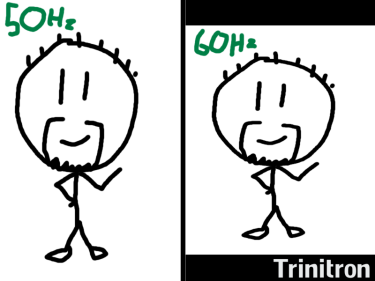
Secondly, this TV has a peculiar idiosyncrasy where it is capable of displaying a 60Hz signal, but rather than switching "modes" to do so, it instead just takes the reduced number of lines from a 60Hz/NTSC signal (480 vs 576 for PAL) and plonks them in the middle of the screen as-is. This means that, in stark contrast to slightly later TVs with marginally better 60Hz compatibility, where switching to 60Hz ensures you get a screen-filling picture and slightly better frame rate with more prominent scanlines, running 60Hz systems and games on my particular TV results in varying degrees of picture squish, ranging from "a bit" to "I never knew the ColecoVision had a 16:9 mode". As such, since I'll be primarily using the MiSTer on this CRT, the optimal experience for me is actually to use 50Hz versions of games.

Thirdly, I feel like to a certain extent, PAL gaming history gets a bit forgotten about. It was quite a challenge to track down EU/PAL-specific ROMsets for each console that I want to run on the MiSTer, but I took the time to do so, and I think it will have been a worthwhile use of my time to do so. A lot of complete ROMsets archived online these days are US-centric, and, sure, the 60Hz NTSC versions of games may, in most cases, be the "best" way to experience these games, but that doesn't mean the PAL experience should be erased from history. In fact, there are several cases where PAL versions of games were substantially different from their North American counterparts, with a great example being the Gex games on PlayStation; the voice of the titular character was completely different between the US and Europe, giving each version a very different feel. Several Gran Turismo titles, too, also had markedly different soundtracks between regions.

So yeah. Outside of a few NTSC-specific things I'm loading on where there was no PAL equivalent (we missed out on a lot of RPGs until the PS2-3 era!) this MiSTer is primarily going to be a celebration of the PAL experience. And I'm really looking forward to this danged copy job being over and done with so I can actually sit down and play with the thing!

Still, this is what I signed up for. I knew it was going to take a while to get everything up and running. It's going to be well worth it when it's done.


Want to read my thoughts on various video games, visual novels and other popular culture things? Stop by MoeGamer.net, my site for all things fun where I am generally a lot more cheerful. And if you fancy watching some vids on classic games, drop by my YouTube channel.

If you want this nonsense in your inbox every day, please feel free to subscribe via email. Your email address won't be used for anything else.

#oneaday Day 443: MiSTer whatchacallem whatcha doin' tonight

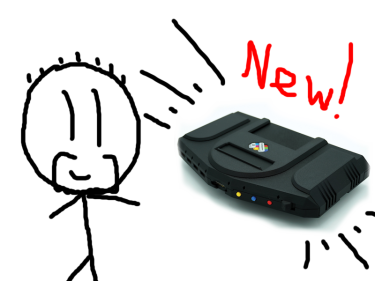
So! My MiSTer Multisystem from the lovely folks at Heber and the Retro Collective arrived yesterday, and… I've been spending a lot of time setting it up. This was entirely expected, so I'm not annoyed or anything — though I was a tad surprised that the update_all script took nearly 24 full hours to complete. It's my fault for running it on Wi-Fi in the room that has the weakest Wi-Fi signal in the whole house. I thought before I started, "I wonder if I should do this over Ethernet," and I knew on some level even then that the answer to that was an emphatic "yes", but still.

Anyway, it is done now, and now I have a working, functional MiSTer Multisystem up and running. There's one thing I haven't been able to test thus far, which is analogue connectivity to a CRT TV — it seems the cable I bought to use with the MiSTer isn't quite right, so I have some replacement options arriving tomorrow — but from a very brief play earlier, I'm very impressed so far. While there is plenty of scope for nerdy nerds to get deep into the weeds tinkering with things and trying to "optimise" their experience, after running update_all and installing some games, the whole thing is remarkably straightforward and easy to use, particularly if you're just connecting up to an HDMI display.

On the offchance you don't know what a MiSTer Multisystem is, it's… well, it's sort of complicated. MiSTer itself is an open-source project that uses FPGA hardware emulation to recreate the experience of using classic computer and gaming hardware. It is different from software emulation for reasons I don't entirely understand, but the gist of it is that an FPGA chip can be reconfigured by issuing it commands, and in doing so you can make an extremely accurate simulation of a physical piece of electronic hardware. The upshot of it is that FPGA emulation has the potential to be much smoother and more authentic to the original experience than software emulation is.

The MiSTer Multisystem — or, to be more accurate, the MiSTer Multisystem 2, which is what I've got — is an attempt to make MiSTer more accessible. For many MiSTer users, putting together a MiSTer system involved getting a DE-10 Nano little computer-on-a-board thing, plus some I/O boards, putting them altogether in a stack and then installing the software on an SD card. As hardware projects go, it's not especially complicated or super-expensive, but there was definitely a market for a more "consolised" experience. MiSTer Multisystem 2 takes all the pain out of the actual hardware side of things in that it's a ready-to-go console available in both digital (HDMI) only or digital-and-analogue (HDMI plus VGA and/or SCART) forms. The whole thing is pre-assembled, no need to build anything, and it's also not reliant on the DE-10 Nano, either, which can sometimes be tricky or expensive to track down.

You still have to set the software side of things up yourself, though this is made pretty straightforward through the aforementioned update_all script, which connects to the Internet and downloads pretty much everything you need apart from the actual games themselves — and even then, it will even download the arcade games that the MiSTer's various "cores" support, so once you've run it, you'll have things to play, ready to go, even if you don't add any of your own ROMs and disc images to the system.

MiSTer itself is modular and expandable, and so too is the Multisystem 2. A cartridge slot allows for the connection of "SNAC" (Serial Native Accessory Converter) cartridges, which allow you to plug in original control pads and accessories for a variety of systems, plus the system has 7 USB ports for connecting controllers, keyboards, mice, external storage devices, Wi-Fi dongles and any other gubbins that might be useful. There are also some slots inside the system itself, accessible by removing the special flaps at the side, though exactly what those are used for is not yet known.

But anyway! Once you're up and running, you pick something from the main menu to play, the "core" for the device the system is emulating will boot up, and then you're away. Some excellent video options allow for some quite convincing CRT emulation on HDMI displays, and if you have a model that supports analogue video output, you should be able to just plug in an RGB SCART cable and connect to a suitable display. I'm hoping to take advantage of that side of things when my new cables arrive tomorrow.

I have a lot of games still to transfer to the system, but I think I've earned a bit of a play for the rest of this evening. Hopefully by the end of tomorrow I'll have this thing up and running and ready for a whole heap of fun!


Want to read my thoughts on various video games, visual novels and other popular culture things? Stop by MoeGamer.net, my site for all things fun where I am generally a lot more cheerful. And if you fancy watching some vids on classic games, drop by my YouTube channel.

If you want this nonsense in your inbox every day, please feel free to subscribe via email. Your email address won't be used for anything else.