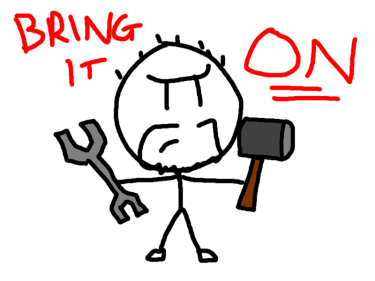
#oneaday Day 304: Web maintenance at the worst times

I found it very hard to get out of bed this morning. The reason for this is simple: I stayed up until 2AM doing maintenance activities on this site and MoeGamer that could have almost certainly waited until a more sociable hour, but once I'd started, I wanted to see them through.

Y'see, both my sites have gone on a bit of a journey. They were both originally hosted on WordPress.com, with this blog being on a free account and MoeGamer being on a "Premium" paid tier. I was starting to reach the limits of what I could do with the Premium account in particular — most notably with regard to media storage space — and thus I moved MoeGamer to a self-hosted WordPress.org installation on a Bluehost hosting account.

Before anyone jumps in to decry Bluehost as being shit: believe me, I know. That is the reason neither of my sites are hosted with Bluehost at this point. But we'll come back to that.

As anyone who has ever tried to migrate a large site from WordPress.com to WordPress.org will tell you, the supposedly simple and straightforward migration process is anything but. What is supposed to happen is that you hit "Export" on your WordPress.com site, which spits out your site's contents as XML files, then you hit "Import" on your WordPress.org site, wherever you've hosted it, and it will recreate your site. Posts, pages and comments will go right back in, and the import process is supposed to look for any media you posted and automatically go and retrieve it from your old site, then transfer it to your new one.

Notice how I emphasise "supposed to". Because in the multiple times I have done this over the years, not once has it ever worked how it is, apparently, supposed to. Not only that, but the documentation on WordPress' own site refers to features and options that do not actually exist. Take these instructions for exporting your Media Library, for example. By following these instructions, even if the "automatic" process described above didn't work, you should be able to just tell WordPress.com to export all your media files into a big ol' .zip file, then import them all in one go to your WordPress.org installation.

Just one problem: the options they tell you to click on do not exist. Maybe they once existed and now do not, but right now — and for multiple years at this point, since I've done this several times with different sites — they do not exist, making them completely useless as instructions.

There are plugins that are supposed to help with this sort of thing. You can't install plugins on a WordPress.com site unless you're subscribed to the obscenely expensive "Business" plan, but you can install plugins on WordPress.org. Except you then run into the minefield of whether or not the plugins in question actually do what you think they're supposed to do, or if they're just some dodgy, shady thing trying to get you to sign up to their "Pro" account because the one vaguely useful option they have is paywalled.

And this is to say nothing of most web servers' tendency to crash if you throw too much data at them in one go. I have several thousand posts on both here and MoeGamer, and attempting to import them all at once would crash the import process every time. I ended up having to go a hundred at a time, which took a very long time, I can tell you, particularly as it would still crash on occasion. And amid all that, if it wasn't already clear, it didn't automatically import my old media and transfer it across to the new site; instead, it just left links to the old media and then… didn't do anything else.

So what I ended up with was two sites that were full of images that were hotlinked from an account I wasn't paying for any more, and which I wanted to close down. And it took me until last night to figure out some possible solutions.

For the record, I used two distinct plugins. Firstly, I used the Auto Upload Images plugin, which actually does do what the media import process is supposed to do: it looks for externally hosted images, then it imports them to your media library and updates the <img> tags to point to your new media library copies. The one downside I found with this plugin is that rather than importing the old images under the same date structure as the old site, it imports them all "today". This is down to a limitation with how WordPress handles files, I think, so no big deal — but it did cause an issue.

On both my sites, a lot of older images had automatically been set to allow people to click on them to see the full size versions. The links were now pointing at the old version of the image, while the <img> tags were showing the new versions. Not only that, but the mismatch in dates meant that some of these clickable links were just completely broken.

To resolve this, I took something of a nuclear option: I used the Broken Link Checker plugin to scan my site for all its links, searched those links for anything that was pointing at the old wordpress.com site and then just batch "unlinked" them. That means that the new images would be safely in place, the broken links would be removed and everything from thereon should, in theory, be hunky-dory.

There are a few things that have broken along the way, like any Gallery posts I hosted have lost all their images and I don't see any means of fixing that aside from doing them all manually, plus there's been the usual "link rot" of old copyright-infringing YouTube videos no longer being available online. Plus any audio media seems to have gone walkies, too, but again, no big deal, really; I don't think anyone expects a website that has been around for nearly 20 years to suffer from no link rot whatsoever.

But anyway. I got rather involved in this process last night, starting around 11pm. I knew, looking at the clock, that I shouldn't start doing something like this so late in the evening. But then I did, and hyperfixation kicked in, and I kept going until everything was, so far as I can tell, sorted. I mean, my galleries and audio bits are still broken, but I can live with that. What I didn't really want to live with was several thousand broken image links that led nowhere. And I think I've fixed that issue.

If you happen to notice anything wrong with any old posts you find yourself reading, do let me know and I'll see if it's possible to fix them. In some cases, that may be possible; in others, less so. As I say, it's part and parcel of a site being live for this long, even if it has moved hosting and domain names multiple times in its lifespan. But hopefully it's going to stick around right here for quite some time, so I wanted to fix as many of the annoying little issues as possible. So here we are!

I hope the three or four of you who actually read this appreciate the work I put in!


Want to read my thoughts on various video games, visual novels and other popular culture things? Stop by MoeGamer.net, my site for all things fun where I am generally a lot more cheerful. And if you fancy watching some vids on classic games, drop by my YouTube channel.

If you want this nonsense in your inbox every day, please feel free to subscribe via email. Your email address won't be used for anything else.


#oneaday Day 196: Migration complete!

We sorted out the problems MoeGamer was having. If you happen to care, the problem I was having was this: the site itself appeared to be working just fine, but a number of image links were broken, the Media Library appeared to be full of empty images and attempting to hotlink to files that I knew were there was throwing a 404 "Not Found" error.

The solution was surprisingly simple. On my former Bluehost account, MoeGamer was hosted in a subdirectory of the public_html folder, and the domain name had been pointed to that subdirectory as its document root. That means if you went to moegamer.net, it would assume you meant "[the address of my hosting]/public_html/[the subfolder name]" rather than just the more conventional "[the address of my hosting/public_html/".

The problem stemmed from the fact that once my domain had been mapped to my Zume hosting instead, the document root was set to public_html rather than the subfolder, and that meant it wasn't quite looking in the right place for lots of things — most notably images hosted on the site that weren't being delivered via content delivery network, and plugins for WordPress.

The solution was simple: move all the MoeGamer files out of that subfolder into public_html and now everything is sorted and working as it should do. I'm glad; I was worried this was going to be a whole palaver to fix, but it turned out to be something pretty simple. It's just fortunate that I spotted the discrepancy when I did; I had a feeling Bluehost had done something "non-standard" when I hosted my sites with them, so I followed a hunch and it turned out to be correct.

I have little doubt that the guy helping me from Zume's support desk would have figured it out before long, though. Zume's customer service during this whole migration has been absolutely exemplary. And because they promise "same-day migration" but were unable to achieve this with Bluehost's dumbass setup, they've given me a free month of hosting as compensation. I didn't ask for this nor did I indicate I was in any way dissatisfied with their service; they just gave it to me. Top-notch stuff.

I know this was a whole faff, but hopefully I won't have to do it again for a while. Fingers crossed that Zume 1) sticks around and 2) doesn't get bought up by the company that made Bluehost (who used to be good!) shit. And in the meantime, I feel like both this site and MoeGamer have seen a significant performance increase, which is great.

Anyway, with that nonsense over, I can perhaps get back to more regular updates over on MoeGamer. I have a few games that I want to write about, but I've been holding off while all this was sorted. Perhaps I shall be spending some time writing tomorrow!


Want to read my thoughts on various video games, visual novels and other popular culture things? Stop by MoeGamer.net, my site for all things fun where I am generally a lot more cheerful. And if you fancy watching some vids on classic games, drop by my YouTube channel.

If you want this nonsense in your inbox every day, please feel free to subscribe via email. Your email address won't be used for anything else.

#oneaday Day 195: Migration... almost complete?

Well, it seems my migration to a new web host has been mostly successfully completed. Both this site and MoeGamer are now safely ensconced on Zume's servers, and the nameservers have been switched over. There's a few little issues here and there which I'm hoping will resolve themselves as the DNS propagates or whatever it has to do, but other than that, things are looking pretty good!

I have to give a huge shout-out to Ross from Zume's support here, as he was inordinately patient with Bluehost's many, many attempts to make it as difficult as possible to just transfer your website from one place to another. Bluehost, like many other sites these days, seemingly insist on making you use a chat facility to get any sort of support, and, like most chat support services, seems to be staffed almost exclusively by people who don't really know what they're talking about. This meant it took several separate chat sessions by me to get them to do something approaching what we needed to perform the migration, and even then they still did it wrong multiple times.

I have confidence, though, that even if there are any lingering issues from the migration, Zume's support staff will be able to sort them out. Like I say, I'm hoping that most of these will be resolved by the DNS propagation completing, so I'm not going to worry too much about things for a few days. And in the meantime, it's nice to know that I can just get on with blogging here; I didn't even lose any posts from the last few days, which is great.

Anyway, that's that. If you happen to see any weirdness here or on MoeGamer for the next couple of days, that's why. Hopefully it will all be sorted soon, and we can return to business as usual!


Want to read my thoughts on various video games, visual novels and other popular culture things? Stop by MoeGamer.net, my site for all things fun where I am generally a lot more cheerful. And if you fancy watching some vids on classic games, drop by my YouTube channel.

If you want this nonsense in your inbox every day, please feel free to subscribe via email. Your email address won't be used for anything else.

#oneaday Day 193: Migration woes

I was suspicious when the new hosting provider I've signed up with, Zume, offered "same-day migration" — not because I doubted their abilities, but because I doubted my current/prior host, Bluehost, would make it in any way easy to get everything off their servers and onto someone else's.

Turns out I was correct. Migrating a complete website setup like mine should be a case of going into cPanel and exporting something called a "cpmove" archive, which contains everything about the website: all its content, all its configuration, everything. Naturally, this is only something you can export yourself on a more expensive plan than I'm on, leading to multiple conversations with support people via a bloody chat interface, during which they consistently failed to understand what I was asking of them, despite me spelling it out to them very clearly and repeatedly.

The first time they ran the export, it seemingly worked correctly and created an archive, but said archive was, for some reason, faulty — and in the meantime, it had filled up my hosting account's storage space. So I then had to delete that and spend another couple of hours waiting for the person on the other end of the chat to run another export, only for them to first of all misunderstand the fact that I wanted to export two websites (this one and MoeGamer) not just this one, and then to completely miss the whole "cpmove" part.

Thankfully, the representative from Zume that I've been dealing with has been inordinately patient throughout this entire process, and has been keeping me informed on progress. It seems that he will be able to complete the migration without the "cpmove" part, it'll just take a bit longer to get things set up. I'm fine with this; I'm not in a rush to get it done, so I'd rather it be done right than done fast.

Self-hosting your own website certainly gives you more flexibility than being locked in to something like WordPress.com — to say nothing of the inherent risks of hosting your entire website on someone else's service — but man, it is a pain in the arse when something like this happens. And make no mistake: this is happening because Bluehost are deceptive fuckers who gave absolutely no indication when I signed up that their prices were going to increase this much after a year. We're talking an increase from about £60 to nearly £300. Absurd. And I bet they count on people just thinking "eh, I can't be bothered to fix it, so I'll just pay up".

Well, no. I'm not paying up. I'm looking forward to hitting the big red "CANCEL" button when all my sites are successfully transferred over, and here's hoping that Zume lasts at least a few years before enshittifying itself, too.


Want to read my thoughts on various video games, visual novels and other popular culture things? Stop by MoeGamer.net, my site for all things fun where I am generally a lot more cheerful. And if you fancy watching some vids on classic games, drop by my YouTube channel.

If you want this nonsense in your inbox every day, please feel free to subscribe via email. Your email address won't be used for anything else.

#oneaday Day 191: Moving online home again?

Annoyingly, it's looking like I'm going to have to uproot this here site and MoeGamer yet again, because my current host has increased the annual price of hosting by literally about four times over the supposedly "introductory" offer I wasn't aware that I was on. Reading around, it seems this company — Bluehost, 'cause I'm going to name and shame — is notorious for doing this, and I am just the latest of many people to fall foul of it. So don't use Bluehost.

Thankfully, I have seen a few recommendations floating around, and I think the one I'm probably going to go with is Zume. This is a UK-based hosting service that comes particularly recommended by the nerds on r/webhosting, plus they supposedly do a free complete migration and you can pay monthly — though of course, as always, it works out more expensive to do that than paying for a year or two up front. Honestly, I think I'd rather have a predictable £10 a month than £X every year or two, though, as that's much easier to budget for.

I'm probably going to start the process for this going tomorrow. Supposedly they'll get the whole shebang done same-day, but it remains to be seen if that actually is the case. This is, I guess, then, your official warning that there may be some unexpected downtime both here and on MoeGamer at some point in the next couple of days.

I wish I didn't have to do this, as moving "online home" is almost as frustrating as having to move your real home. Granted, there's a lot less putting things in boxes and cleaning, but there's still a laundry list of things you need to remember to do — and inevitably an equally as long list of things that you have already forgotten that you need to do. But, well, I'm not paying nearly £300 for a year's web hosting, because that is daylight fucking robbery. £10 a month? Fine. I am 100% okay with that.

Here's hoping that 1) Zume sticks around for the long term, 2) Zume doesn't get eaten by a big corpo that jacks up prices to an absurd degree and 3) the whole migration process goes smoothly. Fingers crossed, and further updates as events warrant.


Want to read my thoughts on various video games, visual novels and other popular culture things? Stop by MoeGamer.net, my site for all things fun where I am generally a lot more cheerful. And if you fancy watching some vids on classic games, drop by my YouTube channel.

If you want this nonsense in your inbox every day, please feel free to subscribe via email. Your email address won't be used for anything else.