 One of the best — or worst, depending on your perspective — things about PlayStation Plus is that there are regular deals on a wide variety of games, seemingly almost at random. During these sale periods, games drop to Steam sale-tier prices (i.e. £2-3 for a typical indie game) and consequently make trying some new things out a rather more appealing prospect than it might be under other circumstances.
So it was that I came across a PS4 game called Ziggurat the other day. I didn't know much about it, but it sounded like it might be fun, so I grabbed it for £3 and gave it a shot. Turns out it is a lot of fun — and nothing to do with a not-particularly-good iOS game by the same name that I played a while back. (Thankfully.)
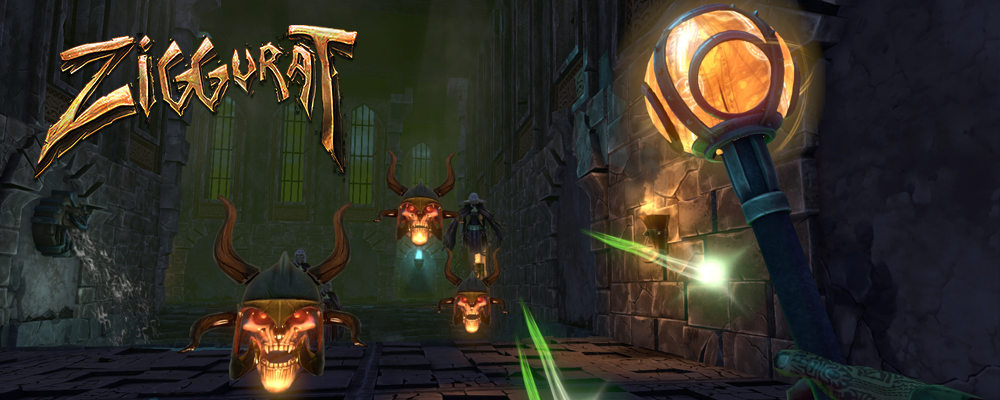 Ziggurat is the latest in the interminable line of "roguelites" out there; that offshoot of the roguelike genre that keeps the "permadeath" and "procedurally generated" parts and ditches the heavy-duty stat crunching and turn-based exploration in favour of something a bit more immediate, accessible and, in many cases, action-packed. Sometimes it works better than others; procedural generation is something that is very impressive on paper, but in practice it can often lead to levels that are chaotic messes with no real sense of "design" about them, just some tiles splattered around the map at random. This sort of thing is fine in an ASCII roguelike, but less fine in a game with actual visuals.
Thankfully, Ziggurat eschews the totally random approach and instead constructs its levels in a modular manner, somewhat similar to how board games like Advanced Heroquest and Descent construct their dungeons. Rooms are linked together by corridors to make an enclosed map; you start in one place, have to find a "portal key" somewhere in the level, then take it to the boss room, fight the boss and continue to the next level. It's a simple, tried but true structure and fits well in the context of the game.
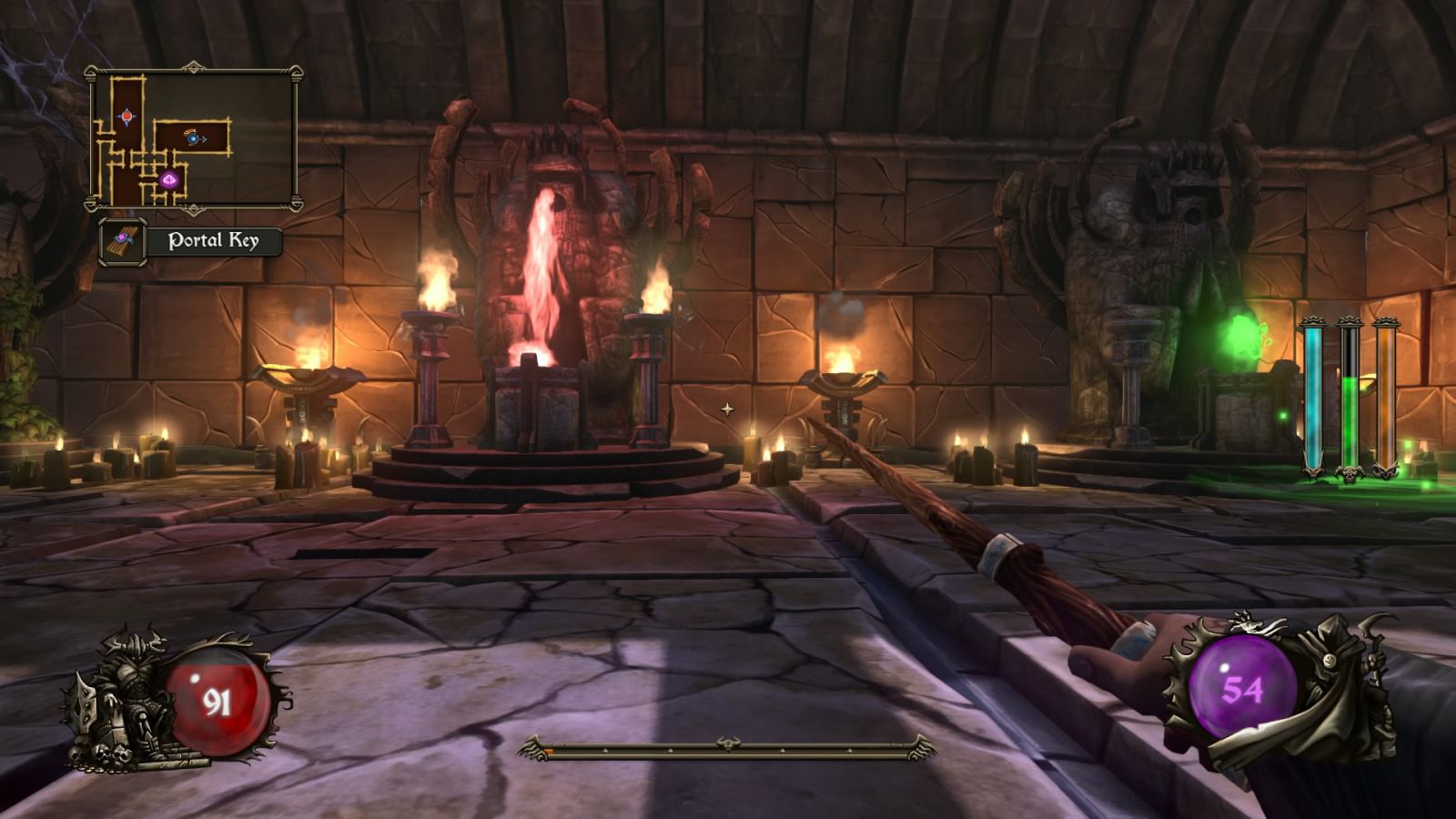
There is a sort of plot to Ziggurat, but it's of the "back of a napkin" tier from old-school arcadey games from the 8- and 16-bit era. You're some sort of wizard, and every so often the opportunity arises to fight your way through the eponymous Ziggurat to become a super-awesome elite wizard. It's more likely that you will die, though, which is okay, because the "sacrifices" of unworthy novices pay tribute to the old gods, or something like that. It doesn't really matter.
What you do need to know is that Ziggurat is pretty much a spiritual successor to Heretic and Hexen, two games that came out back in the golden age of 2.5D sprite-based first-person shooters. Heretic and Hexen were noteworthy in that they were first-person shooters that opted for a fantasy setting rather than the (then) more common space marine situation. (Military shooters were still somewhat niche interest at this point, and multiplayer was something that was only really played by people who had IPX networks at their workplace.) Despite the fantasy setting, though, neither Heretic nor Hexen were role-playing games; they were action games through and through, with most of the weaponry on offer having clear analogues in more conventional modern and futuristic weaponry.
Ziggurat follows this pattern nicely. You start with a basic magic wand that is a rough analogue to the peashooter pistol that was the default weapon in games like Doom and its ilk. As you progress, you'll acquire spellbooks (shotguns), magic staves (machine guns) and alchemical weapons (rocket/grenade launchers). Each of these weapons requires a different colour mana (ammo type) to power, with the exception of the pistol… sorry, wand, which recharges its mana over time if you stop firing.
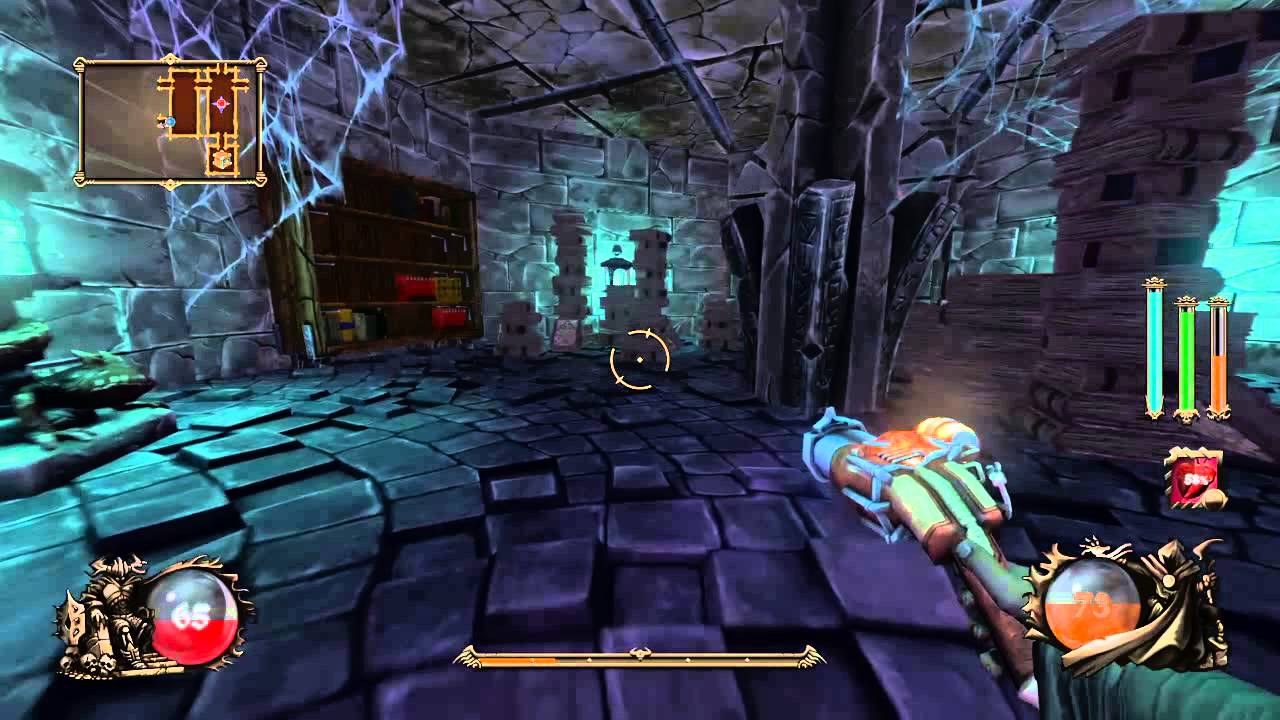
The interesting addition to the Heretic/Hexen formula — and something that Hexen II touched on — is a progression system. As you defeat enemies, they drop "knowledge crystals" which provide experience points. Filling your experience bar causes you to level up and be able to pick from cards that depict "perks" of various descriptions. These are randomly drawn each game and range from immediate benefit (heal life, regain mana) to ongoing buffs (recover health when you enter a new room, increase the amount of mana you can hold for a particular weapon) to temporary buffs (magic wand does double damage in your next combat). Once you've picked one, on subsequent level ups you generally get the option to buff up a perk you've already taken or add a new one to your collection. There are even some perks that allow you to choose from a wider selection of perks on subsequent level ups, so there's a fair bit of variety.
Structurally, Ziggurat isn't quite as freeform as Heretic and Hexen. Rather than fighting your way through a linear-ish level, you freely explore the level, uncovering rooms one at a time. Rooms will generally be either a "special" room of some description — perhaps with traps, treasure or the portal key — or a standard room with a swarm of enemies to defeat. If you encounter enemies, you're deemed to have started "a battle" and are locked in the room until you defeat all of them. There's a decent mix of enemies, ranging from carrots that charge at you screaming to ghostly maidens that fling some description of otherworldly shit at you. Like the classic first-person shooters of yore, different weapons are more or less practical against different enemy types, though a generous auto-aim facility makes aiming and shooting with the controller less of a chore than it is in some games.
A pleasantly old-school throwback in Ziggurat's overall structure is the fact that you have a score, though you don't find out what it is until the end of a level or the end of your game. You score points for all sorts of things, ranging from collecting items to clearing rooms — and, obviously, the longer you survive, the higher your score will be. There's even an "Endless" mode to challenge for those who are gluttons for punishment — though I'm yet to make it past the second level on normal mode!
Ziggurat is a lot of fun, then, and if you're looking for something relatively quick and throwaway to play — and you miss the '90s era of first-person shooters — then you could do far worse than give it a shot, if you'll pardon the pun.


 Interesting indie game time? Interesting indie game time.