2469: OK Google

0469_001

With the courier work I've been doing for the past few days, I've been relying heavily on Google Maps for navigation around the area, and I've been discovering the benefits of voice controls — it's much easier to simply say "take me to…" and Google work it out for you than to type in a postcode using Android's cumbersome and clumsy keyboard.

I've actually been pretty impressed with the accuracy of the voice recognition, since it even recognises non-standard words such as street names without too much difficulty, and it uses your location to make an educated guess at which one of the many Alder Roads in the world you might have actually wanted to go to. I counted only two hiccups in an entire day's work: one when it wanted to send me to Hedge End (which is the other side of the Southampton conurbation to where I was working) and one when it wanted to send me to Birmingham. Granted, one of those mistakes was pretty large, but given that it understood me on all the 50+ other occasions throughout the day, I think I can forgive it.

I find myself wondering if voice recognition will actually become particularly widespread or accepted. Apple now includes Siri with Mac OS as well as iOS, Microsoft has Cortana in more recent revisions of its operating systems, Google seems keen to bake voice recognition into Android and all its services and even my TV will let you talk to it. The technology is certainly there and seems to work reasonably well in most cases — certainly considerably better than it did even just a few short years ago — but it's still painfully awkward to use, particularly if you're in an environment where there are other people around you. And while I've seen the benefit of being able to shout at my phone while I'm in my car, I don't see the same benefit from talking to my computer, TV or games console when its physical controls are right there and allow me to complete the task I want to complete just as quickly "manually".

I think we're still lacking a certain degree of artificial intelligence necessary to make voice activated technology truly useful, worthwhile and ingrained in society. The aim, presumably, is to have something along the lines of Computer in Star Trek, where you can say pretty much anything to the voice activated computer and it will successfully parse what you say (within reason) and perform any task from turning the lights on to inverting the phased magnetic resonance coils into a Gaussian feedback loop. Specify parameters.

I wonder whether that's something that is truly desirable, though. Is it really more convenient to be able to vocalise something you want your computer to do? It probably is for those who aren't as computer-literate, but then there's still a chunk of the population who don't use computers or mobile phones at all. A shrinking chunk, admittedly, but a chunk nonetheless, and I'm not sure fully voice-capable hardware — which will probably still be on the expensive end of the spectrum — will convert that sort of person into being a believer in technology.

Still. "OK Google" helped me find my way around today, and that, at least, impressed me. Perhaps I'll discover more interesting uses of it in the future.

2462: I Don't Need Any More Tutorials or Updates

0462_001

I was out today, making heavy use of my phone to assist with some part-time courier work I've picked up recently. At some point during the day, the Google Maps app updated, at which point it felt the need to give me a tutorial.

Nothing, so far as I can tell, has changed in the Google Maps app since its last iteration, so quite why it felt the need to deliver an irritating and persistent tutorial is beyond me.

Google Maps isn't the only app to do this. Pretty much any "productivity" app on mobile these days feels the need to bore you with a pointless (and often non-skippable) slideshow before you can start using it — even in the most simplistic apps.

I get why these tutorials are put in there — it's to cater to stupid people and/or the technologically disinclined, who might not be familiar with the conventions of interface design. But they should be skippable. And if the app has clearly been on the device — and used heavily — prior to the latest update, it should automatically skip the tutorial by default.

And while we're on, I can do without pointless, unnecessary updates, too, even though App Store, Google Play and Steam reviewers seem to think that they're essential to an app or game remaining useful and/or fun. (These people never lived through an age where your word processor came on a floppy disk, and that was it, no more updates unless you shelled out for a new version.) These people are the reason why we get stupid, idiotic revamps to things that worked perfectly well the way they did before, like Twitter and Google Hangouts.

The latter is one I find particularly irritating, particularly in its Chrome extension incarnation. Previously, the Chrome extension was a discreet little affair that took the pop-up Google Hangouts interface from GMail and rendered it in an "always on top" version that could sit on your desktop — tucked away when you didn't need it, yet just a mouseover away when you did.

Now, however, it's in its own separate window for no apparent reason — a window that opens up every time you start Chrome, whether or not you have new messages to read — and, presumably in an attempt to "look like Android", it has one of those annoying mobile-style "drawer" menus on the left. These are fine on mobile as they're built to be usable with a touch interface, but on the big screen they're clumsy and unnecessary. I honestly don't know why we don't still use drop-down menus any more; they may look boring, but they work. At least Mac OS still uses drop-down menus for most apps, though Office for Mac still has that horrible "Ribbon" thing at the top instead of the old-school toolbar from early versions of Office.

Updates are fine when they add something meaningful: look at something like Final Fantasy XIV, which adds meaningful new content with every major version number update. But when they're change for change's sake — like Hangouts' new format, and Twitter's insistence on reordering your timeline even when you have repeatedly asked it not to — they're just annoying. And, moreover, that inexperienced audience the developers were hoping to capture with their tutorials will likely end up being turned off by having to "re-learn" their favourite app every few weeks.

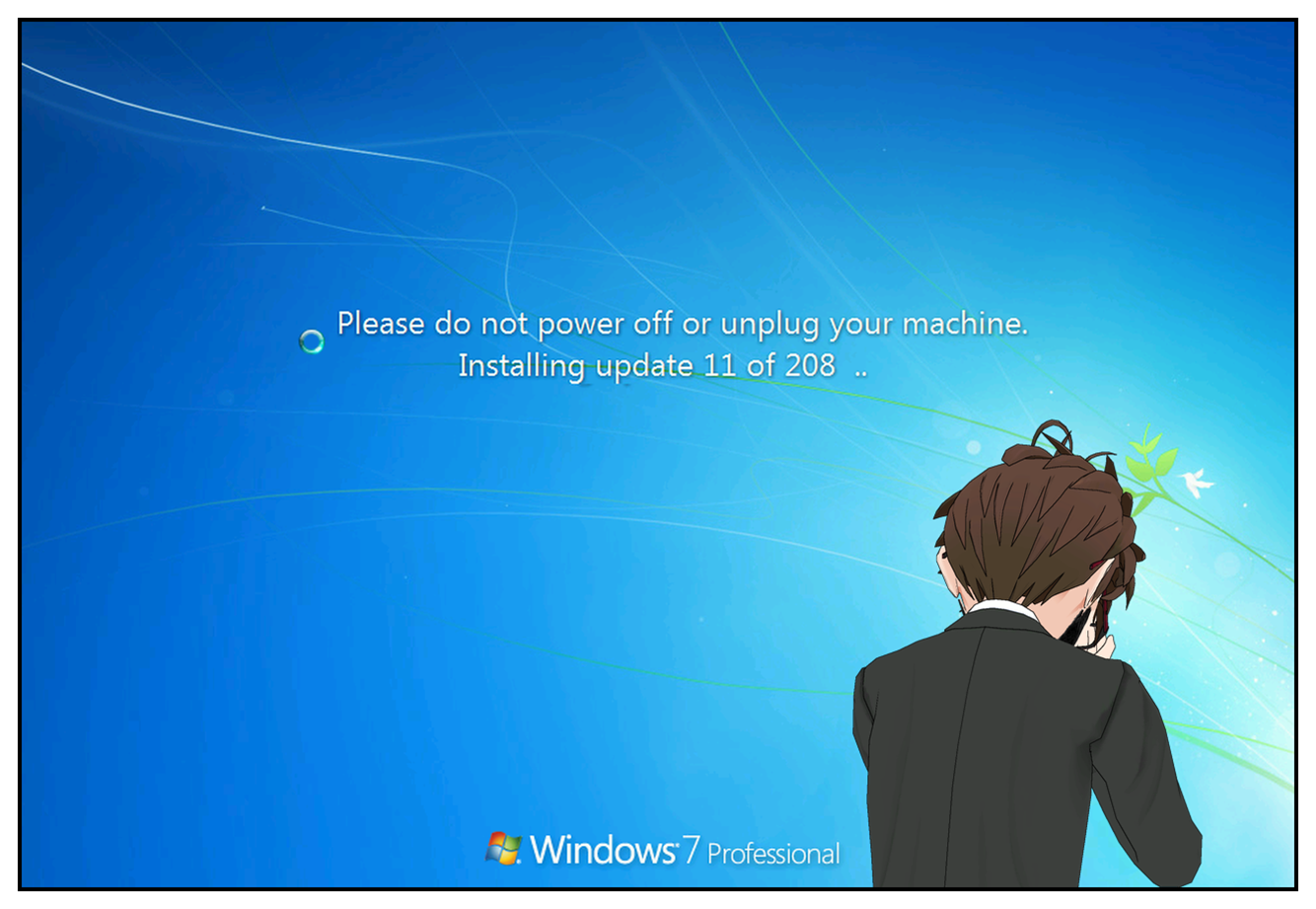
And don't even get me started on the three system restarts I did the other day, with a notification that there were new Windows updates available every time. At least I managed to excise the cancer that is the Windows 10 nag prompt, so I should be grateful for small victories, I guess.

2453: A Meeting of Generations

0453_001

After a bit of fiddling around and faffing (and eventually giving up on the OSX side of things) I managed to get a 35-year old Atari 800XL talking to a modern-day Windows computer. Not only talking, but even reading and writing files back and forth.

The secret to this black magic is twofold. Firstly, you need a bit of kit called an SIO2PC module, which converts the signal from the Atari computer's SIO hardware — used for communicating with peripherals such as disk drives and cassette decks — into something which can be interpreted by modern systems, since SIO was a proprietary format and cable type. The SIO2PC module I had was serial-based, so I then had to run it into a modern computer using an RS232 to USB converter cable, since many computers these days don't come with serial COM ports as standard. The cable effectively sets up a "virtual" COM port via USB, tricking the serial device into thinking it's plugged into an actual serial port on the PC.

Once you've got that bit sorted, you need some software. There are three pieces of software I've experimented with today. Firstly, SIO2OSX just didn't work at all. I don't know if I didn't set it up correctly or if the Mac simply didn't have the appropriate drivers to set up the virtual serial port — though said virtual port certainly appeared for selection — but eventually I gave up and switched to my laptop PC, which has been gathering dust for a little while now.

Second up was Atari Peripheral Emulatoror APE for short. This Windows-based tool emulates a stack of Atari disk drives, printers and modems, allowing you to mount disk images and (theoretically, anyway) boot from them. I had trouble getting this part of the program to function correctly, but what did work was a separate application distributed as part of the APE package called ProSystem. This is a much simpler tool that allows you to either "rip" Atari disks to .ATR disk image files, or take an .ATR disk image and write it to a physical 5.25" disk to use in the Atari disk drive. While APE failed to do what it was supposed to, ProSystem had no problems whatsoever, reading from and writing to my ageing Atari 1050 disk drive with no problems whatsoever.

The final tool I tried was AspeQt, which is still in active development. AspeQt is pretty much an open-source tool that does most of the things APE does — APE is shareware — but I found it to work much more reliably than APE for simply mounting disk images and using the PC as a "virtual disk drive" for the Atari. AspeQt also has an excellent feature that I was specifically looking for: the ability to extract individual files from .ATR disk images and save them as standalone files on the PC filesystem. It even automatically converts from ATASCII — Atari's proprietary take on the now-standard ASCII character set — to standard ASCII, meaning that files such as AtariWriter documents can be easily transferred to PC for dumping into other applications with all the requisite line breaks and suchlike intact rather than being replaced with special characters.

My current Atari setup, then, is a bit of a kludgey mess, using ProSystem to rip and write complete disk images and AspeQt to mount and use individual files on a disk or image — ideally APE would act as an integrated solution for all of this — but it works, by God. And, boy, was it exciting to hear the 1050 snark into life when I clicked a button on my Windows PC. Just to prove it really worked, I downloaded a disk image for the AtariAge forums' current High Score Club games and wrote it to a blank disk. A few minutes later, I had a bootable floppy disk that you'd never know I'd downloaded from the Internet running on original Atari hardware. Black magic, I tell ye.

Getting all this working opens up all manner of exciting possibilities, and I'm sure I'll be exploring them more in the coming weeks.

2447: Left Behind

0446_001

I think one of the biggest sources of my anxiety these days is the growing feeling that I'm being "left behind" by the rest of the world thanks to the fact that everything changes so damn quickly these days… and moreover, if you don't keep up with it, you may well end up having difficulties.

As I type this, I'm occasionally stealing glances over to my dining room table, upon which sits an Atari 800XL and a CRT TV-monitor for which I'm currently awaiting a cable to allow the two to talk to one another. I'm excited to get the 800XL up and running not just because "woo, wow, retro", but because it formed such an integral part of my early life that it feels like a small piece of "stablity" in the turbulent waters of the modern age; a rock I can cling on to in order to avoid getting swept away.

This might sound like an odd thing to say with regard to a 30+ year old computer that I'm not entirely sure still works (I'm pretty sure it does), but since tracking it down I've become quite interested — excited, even — in the idea of using it for various purposes other than just games. Specifically, I'm perhaps most excited to use it as a "distraction-free" means of word processing; once I get it up and running, I fully intend to fire up the old copy of AtariWriter and actually do some ol' fashioned plain text composition. (My one nod to it actually being 2016 is the addition of an "SIO2PC" cable, which will allow me to transfer files from the Atari to a PC or Mac for safekeeping rather than relying on 30+ year old floppy disks.)

This probably sounds like a lot of effort to go to, but I'm excited because it allows me to focus on one thing rather than constantly being bombarded by the distractions that life in 2016 — and computing in 2016 — offers. Multitasking is all very well and good, but when you're trying to get anything done and Google Chrome is right there willing you to go and, I don't know, hunt for rare Pepes or something, it's sometimes hard to resist. Boot up a word processor that you have to load from disk and can't do anything else while it's running, on the other hand, and you have a situation much more conducive to Getting Shit Done, because once you've spent a couple of minutes listening to the soothing (and occasionally terrifying) sound of that disk drive snarking and zurbiting its way to your chosen program, it feels like something of a waste to then just shut it all down without actually doing anything.

I've drifted off on a tangent a bit, but my point is fairly simple: I long for the simplicity and the single-mindedness of days gone by, and am feeling increasingly stressed out and anxious by the constant demands for attention we get from all angles these days in 2016. I've attempted to minimise my exposure to these distractions as much as possible — primarily through minimising my contact with social media, which is probably the biggest distraction of all for most people these days — but with each passing day, I feel more and more inclined to just want to shut myself in a dark room and have a bit of peace and quiet to myself.

2237: The Insufferable Frame-Rate Obsessives May Have a Point

0237_001

I upgraded the processor on my PC yesterday. It was the last bit that needed upgrading to make it decently up-to-date, and I'd been meaning to do it for a while. It was also a good excuse to wipe everything, reinstall Windows and have a nice fresh, clean system that wasn't clogged up with all manner of crap. For a little while, anyway.

PC gaming, for many people, is the relentless pursuit of ever more impressive frame rates, preferably at ever more impressive resolutions. I've never felt particularly strongly about either, given that my PC is hooked up to my TV and thus is limited to a maximum of 60 frames per second at 1920×1080 resolution; in other words, anything above 60 simply wouldn't benefit what was on screen at all, and in fact would often result in unsightly "screen tearing", where different parts of the screen update at different times. Consequently, I habitually play everything with VSync on, which limits the frame rates to 60 and completely eliminates any tearing. It's kind of deliberately hobbling performance to look better.

That said, even with a theoretical maximum frame rate of 60, my old processor couldn't quite keep up with some of the more modern games. I have a decent graphics card, so nothing was actually unplayable, but I knew that I could probably get more out of said graphics card with better base hardware. Final Fantasy XIV, for example, ran perfectly well at anywhere between about 30 and 60 frames per second depending on how much was going on at the time — it would be pretty damn smooth in the relative peace and quiet of instanced dungeons, while the frame rate would drop a fair bit in densely populated areas or busy battle scenes with lots of players. I'm not someone that these frame rate disparities bothered a great deal, but they were noticeable.

So with some degree of curiosity, after assembling the new bits and pieces and putting my computer back together, I fired up Final Fantasy XIV to investigate if the performance was any better. After a little fiddling with settings — previously, it ran better in "borderless windowed" mode, while now it runs better in dedicated full-screen mode — I was very pleased to discover that it was now running at an absolutely rock-solid 60 frames per second, constantly, regardless of what was happening on the screen at the time. It didn't make a massive difference to the visual fidelity of the game, but it was nice.

Then I jumped into a dungeon, and the true nature of the improvements better hardware brought on became apparent. While the graphics had never really struggled much in dungeons — except with the bizarre bug in the old DirectX 9 version of the game where facing certain directions would cause your frame rate to tank, presumably because the game was trying to render more "out of sight" stuff at once — what really became obvious as I was running with my new hardware was how much more responsive everything was. While the background graphics never really struggled much on my old rig, you could occasionally see things like the interface elements juddering a bit, particularly the damage numbers and status messages that scroll up and down the screen during combat, keeping you informed of what's happening.

Now, those messages are just as smooth as the animations and effects. More importantly, the controls are significantly more responsive, because there aren't any "dead frames", for want of a better word, where the game doesn't register a button input for whatever reason. It was a minor issue before; now it's completely absent, which is lovely. I hadn't anticipated quite how lovely it would be, but it really is; knowing that my performance can no longer be hampered by the complexity of the visuals on screen or how much is happening at the same time around me is a thoroughly pleasant feeling, and, surprisingly, makes the game more enjoyable.

So okay, I'll admit it; frame rate does make a difference. Sometimes. I maintain that "cinematic"-style experiences such as adventure games and their ilk don't particularly benefit from 60fps visuals — they can look nice, but if you're going with realistic imagery, 30fps can sometimes look more "natural" as it's closer to the frame rate of film and TV — but in games where precision and split-second timing are important — fighting games, shoot 'em ups, arcade games, MMOs such as Final Fantasy XIV — smoother hardware performance leads to smoother player performance. Which is kinda cool.

Oh, and no, I haven't tried Crysis yet.

2234: Is VR Really Going to Take Off?

0234_001

I have, believe it or not, a friend. I have several, in fact, but this friend's name is Tom. Tom primarily spends his money on bits and pieces for his PC, and is extremely excited about the impending virtual reality revolution — so much so that he's bought an incredible "gaming chair" with attached steering wheel, pedals and HOTAS (Hands On Throttle And Stick) control scheme, ready to play everything from Elite: Dangerous to a variety of racing games in glorious, stereoscopic, head-tracking 3D.

Me, I'm yet to be convinced by the value of VR. I know that theoretically it should be enormously exciting, but at present, there are two big things that put me off: firstly, the cost, which, for however much HTC and Oculus might try to argue that they're making VR more mainstream, is well out of the budget of most people; and secondly the fact that there's still a fundamental disconnect between yourself and the virtual reality into which you're trying to immerse yourself.

There's not a lot to say about the cost, really — it's a lot, I can't afford it, because I'd have to upgrade my PC as well as buy all the hardware, that's about it — so I'll focus on the latter aspect, because that's what bothers me about the technology long-term.

There are certain applications for which VR seems ideally suited. Something like Elite: Dangerous, for example, will likely be very good indeed, because the entire Elite experience is based on you sitting in a chair in your spaceship cockpit, flipping switches and jiggling joysticks in order to fly around and do spacey things. Likewise, driving games will also be very good, since again, the experience is based around you sitting in a chair holding on to a steering wheel for dear life. In other words, the experiences that my friend Tom is already pretty much set up for will probably be pretty good, though I do still find myself wondering how you'll find the right buttons to press with a bloody great helmet attached to your face — particularly if you're not using a fancy-pants HOTAS setup.

It's when we get into other types of experience that I feel the disconnect between the real and the virtual will be somewhat more jarring. Anything first-person would theoretically be excellent in VR, were it not for the fact that you're not actually going anywhere; the lack of physicality to motion through the world seems like something that would be very disconcerting indeed. There are companies that are attempting to get around this very issue, most notably with a big-ass treadmill-like thing that allows you to actually physically walk in order to control your motion through the game world, but at this point you're escalating the already substantial costs of VR even further just to get the feeling of immersion that VR is theoretically supposed to provide.

I don't know. I think my issue is that I'm yet to see a true "killer app" for VR; something which, without a doubt, shows that VR is the absolute only way to do this. Until that killer app comes along — or technology improves to allow things like true haptic feedback and a true feeling of physically inhabiting "another world" — then I shall remain both cautious and skeptical about the whole thing, and very surprised if it takes off with anyone but the most dedicated enthusiasts of expensive lumps of plastic wired up to their computer.

1888: Put the Phone Down

I'm coming to detest my phone, not necessarily for what it is, but for what it's done to me.

I don't specifically mean my actual phone, either; more the general concept of smartphones and the "always-connected" nature of modern existence.

I don't even specifically object to the "always-online" nature of modern society, more the habits — or, more accurately, compulsions — that it tends to instill in people. I've become very conscious of my own compulsions in this regard recently, and I'm making an effort to try and change my habits.

Here's the problem for me: picking up a phone and fiddling with it (usually checking Twitter and/or Reddit) has become a default thing to do if no better activity is available. Phones are great for that; with the wide variety of apps available these days, there's something sure to distract and entertain even the most attention-deficient individual, even if only for a few seconds. That "even if only for a few seconds" thing can become a problem, though; the fact a phone can fill an empty few seconds easily means that it's easy to reach for it while you're in the middle of something else, breaking your concentration and perhaps immersion.

I became particularly conscious of it while I was playing Criminal Girls the other day. (Side note: I've now completely finished that, so expect a comprehensive writeup on MoeGamer very soon.) I noticed that even mid-battle, I was reaching for my phone and fiddling with it while animations were playing, or sometimes between turns. There was no good reason for it, either; I wasn't particularly interested in what Twitter had to say at that moment, and I was genuinely enjoying the game. It was just a nigh-uncontrollable compulsion to reach for it and look at it.

It happens in the night sometimes, too. I can't get to sleep, so I pick up the phone and look at whatever vapid nonsense social media is spewing at any given hour. There's rarely anything meaningful — although there's occasionally an enjoyable late-night conversation with some of my friends in other timezones — and it doesn't really have any value; it certainly doesn't help me get to sleep when I find myself mindlessly refreshing for minutes at a time instead of putting the damn thing down, closing my eyes and trying to disconnect from the stimuli of the outside world.

So I'm trying to stop myself from doing these things. When I'm sitting down to play a game, unless I'm specifically intending on "liveblogging" my experiences as I play, I've started putting my phone out of reach or, at the very least, covering it over so I can't see the notification light and screen. When I go to bed, I've started switching my phone off altogether rather than just leaving it in standby mode. And while a phone is a convenient thing to fiddle with to stave off social anxiety when dealing with other people face-to-face, I'm going to try and make an effort to keep it in my pocket unless it becomes clear that I really am surplus to requirements in a particular social situation. (Not necessarily in a negative way; I may just be along for the ride while others are discussing making arrangements for something or other that doesn't directly involve me, for example.)

I feel like smartphones have done serious damage to our collective concentration spans over the last few years. And I'm quite keen to get mine back.

1847: Your TV Is Not Trying to Kill You

So another outlandish "privacy scandal" looked set to erupt on Twitter earlier. For the benefit of anyone who might be considering sharing anything regarding Samsung Smart TVs sending your personal information to third parties, allow me to clarify a few things.

Samsung Smart TVs have a voice recognition feature. I know this because I have one. (I also never use it, because voice recognition is, for the most part, stupid and pointless when you have a remote control right there. Assuming you have hands, it is pretty much always just as quick to use the remote as it is to remember exactly how you're supposed to phrase a voice command.)

Anyway. The way this voice control works is very simple. You press a button on the "special" remote, not the "normal" one, and the microphone in the remote starts picking up your voice. When you've finished speaking, it sends what you said over the Internet to a speech recognition service (that more than likely converts the speech into computer-friendly text for more accurate processing) and then your TV receives an instruction based on what you said. The TV itself isn't doing any real processing; that all happens remotely, and the TV simply receives the instruction to do something based on what the speech recognition service thinks you said.

Astute iPhone-owning readers will know that this is exactly how Siri on Apple devices works — it's why you can't use Siri when you don't have an Internet connection, even to access information stored locally on your phone such as your address book and suchlike.

The reason these services work like this is to take some of the processing workload off the phone/TV/other device with voice recognition. It's not an ideal solution, but it does mean that the devices in question can be less expensive because they don't need hefty processing power or software to recognise voices pre-installed on them. One day we may have devices that can recognise our voices accurately without requiring an Internet connection — although chances are by the time we've perfected that, the Internet will be "everywhere", rather than just in Wi-Fi hotspots and mobile coverage areas — but until then, this is how voice recognition tends to work.

As such, a necessary part of the entire process involves sending a recording of what you said to the third-party speech recognition service. This means that if you press the microphone button on your Smart TV remote and then decide that the appropriate thing to say at that moment would be "My credit card number is…", a recording of you saying your credit card number will be sent to this speech recognition service. Chances are, nothing will happen with it, but as with any sort of unencrypted information transmitted across the Internet, there's a slim risk of nefarious types intercepting the transmission and taking advantage of it.

Because of this slim risk of stupid people telling their TV remote what their credit card number is, Samsung have had to put a disclaimer in their Smart TV documentation that the TV may send your personal information to a third party, and of course, people have misinterpreted this as the TV always listening to what you're saying, and it therefore being unsafe to share any personal information while within earshot of your TV. This is, of course, utter nonsense, because as I've outlined above, you have to specifically press a button in order to activate voice recognition mode, and the "third party" it's being sent to is doing nothing more than converting your babblings into something the computer in the TV can recognise as an instruction to do something.

That is it. Nothing more. Nothing sinister. And if you're still uneasy, you could 1) not buy a Smart TV, since technology clearly terrifies you, 2) not use the voice recognition function (which, in my experience, is patchy, slow and pointless anyway) or 3) not talk about credit card numbers or other personal information when you've pressed the button that specifically asks your TV to listen to you.

So there you go. This has been a public service announcement. I thank you.

1807: Learnin'

During quiet periods, I've been educating myself in some things that will doubtless prove beneficial to future career plans: specifically, I've been learning about the various languages of the Web thanks to a marvellous site that I remember seeing the genesis of a while back, but which I haven't really delved into until just recently: Codecademy.

Codecademy is a site that truly leverages the idea of interactive learning and makes programming accessible to anyone, regardless of their previous skills. It covers a range of topics, starting at HTML and CSS and working through other useful technologies such as JavaScript, jQuery, PHP, Python and Ruby, and also provides examples of how to use these technologies to leverage the APIs of popular platforms like YouTube, Twitter and Evernote to build your own apps.

There are a number of different approaches you can take through the currently available course material: you can take a specific "skill" (such as HTML and CSS, or JavaScript) and work your way through a series of multi-stage exercises, given clear instructions and the opportunity to immediately see the effects of your work as you go; you can take on a practical project (such as recreating the homepage of a popular site using established Web technologies such as HTML and CSS plus extensions like Bootstrap); or you can do one of the super-quick "this is what you'll be capable of if you stick with it" projects whereby you "create" something impressive like an animated interactive picture by referencing pre-existing libraries that have conveniently been built for you.

So far I've found I've responded best to the structured, skill-based work. These courses take the longest out of all of Codecademy's material, but they provide in-depth experience of getting your hands dirty, and tend to provide enough plausible context for the things you're doing to make them relatable to real contexts. The JavaScript course perhaps didn't go into quite as much depth as it could — I would have liked to see greater exploration of how JavaScript code is integrated into a website, rather than (or perhaps as well as) treating it as an entirely separate and independent language, but at least the course game me a reasonably firm understanding of some of the core concepts, and allowed me to get my head around object-oriented programming a lot more than I have done in the past.

I quite enjoy programming, though I haven't been properly "into" it since the 8- and 16-bit eras, when I used to use variations on BASIC (Atari BASIC on the Atari 8-bit computers, and STOS on the Atari ST) to put together simple games. I fell out of the habit of programming around the time you no longer had to put line numbers in manually, though a few abortive attempts to learn over the years have made me pretty familiar with common conventions such as {curly braces} and ending lines with semicolons();

As with any new skill, the real thing you need to do to ensure the knowledge sticks it to apply what you've learned in some sort of practical situation. I'm hoping that the later exercises in Codecademy will provide some of this much-needed context for my learning and allow me to confidently say "yes, I do know [language]". That sort of thing makes you eminently attractive when being considered for new positions, and while I'm not intending to move on anywhere just yet, it is, of course, always worth keeping one's eyes open for suitable opportunities to flex one's intellectual muscles and make use of the things you've learned over the years.

Still got a way to go before I'd consider putting any of these languages (except HTML and CSS, which I'm pretty confident in the use of) on my CV, though; better get back to the studying then, I guess!

1696: Side Effects

One of the side-effects of 1) having a job that doesn't involve staring glassy-eyed at the Internet all day and 2) being in the middle of a self-enforced social media blackout (it's going great, by the way) is that your priorities and even interests change.

Oh, don't worry, I'm not about to stop boring you with tales of obscure video games any time soon, but what I have found is that I'm in no hurry to keep up with the latest news in gaming and related spheres such as technology.

This was really driven home to me today when someone asked what I thought of Apple's new announcements.

Eh? I thought. I haven't heard anything about those.

Apparently Apple announced a new iPhone and a smartwatch, whatever the fuck one of those is. And I was surprised to find how little of a shit I gave about either of them. My current phone is a functional workhorse at best, though without Facebook and Twitter demanding my attention every few minutes it stays in my pocket or drawer a lot more than it used to, and is largely being used for a bit of lunchtime Web browsing and playing music in the car. As such, I find it hard to get excited about the latest piece of shiny, pretty and overpriced tech that Apple is coming out with. My honeymoon period with "smartphones" is well and truly over: I'm not interested in playing games on them, I'm rapidly discovering the value of not having social media in your pocket, and for organisation, frankly I'd rather use a paper notebook and calendar. Get off my lawn.

It was the watch that particularly bewildered me, though. Before I left the games press, tech writers were just starting to get excited about "wearables", and I couldn't fathom why. I still can't. It just sounds like an unnecessary step in the process of consuming digital content, and a way for the ever-present menace of notifications to be even more intrusive to your daily life than a constantly beeping phone already is. A little computer on your wrist is something straight out of sci-fi and a few years ago I'd have been all over it, but on reflection, now? That's not what I want. Not at all.

I'm not writing about this to be one of those smug "well, I don't care about those things you're excited about" people — though I'm well aware it may well come across that way. Rather, I'm more surprised at myself; I always had myself pegged as a lifelong gadget junkie, and the trail of defunct-but-useful-at-the-time technology (Hi, Palm!) my life has left in its wake would seem to back that up.

But I guess at some stage there's a saturation point. You see something, and see no way for it to possibly fit into your life; no reason to own one. I already felt this way about tablets — I barely use our iPad even today — and I certainly feel it about Apple's new watch. Smartphones still have something of a place in my life — if nothing else, it's useful and convenient to have things like maps and a means of people contacting you (or indeed contacting others) in your pocket — but their role is much diminished from what it was, and I'm in no hurry to upgrade to the latest and greatest.

It's another case of, as we discussed the other day, solutions to problems you don't have. All this technology is great, but it convinces us that our lives would be an absolute chaotic mess without it — when, in fact, it's entirely possible that the opposite could be true. After all, the human race survived pretty well before we discovered the ability to photograph your dinner and post it on the Internet, didn't we? While I'm not ready to completely let go of my smartphone — not yet? — I'm certainly nowhere near as reliant on technology as I once was, and I'm certainly not obsessively checking news feeds to find out the latest and greatest news about it.

And you know what? It's pretty nice and peaceful. I could get used to this.