#oneaday Day 777: Newfound Resolve

After determining that the NVMe drive in my PC was kaputt, which is where the vast majority of the issues I've been having with this PC have stemmed from, I reluctantly reinstalled Windows… again. This is always a pain because it takes time to get the system back to how you liked it before — and, of course, there are times when software that you used to use just isn't available any more.

I knew that sooner or later I was going to have to confront the fact that Hitfilm Express, my video editor of choice for the last 7 years or so, no longer exists in any form, but I had been putting off learning the most commonly recommended replacement for free hobbyist video editing: DaVinci Resolve.

I've loaded up DaVinci Resolve before to have a look. I was immediately daunted by an incredibly complex-looking interface, closed it down and went back to Hitfilm Express. Now, however, I don't have that option, unless I want to spend time faffing around looking for a dodgy download of the old version of Hitfilm Express I was using, and spending even more time trying to track down my license key for it — a license key I can't just log in and retrieve, because although the software would still activate online with it last time I had to reinstall, the actual website for it is no longer in existence. Which is, y'know, nice.

Anyway, tonight I was at a bit of a loose end, so I decided I would bite the bullet, install DaVinci Resolve and start working through some initial tutorials. The people behind DaVinci Resolve are good enough to have a bunch of training materials on their website — including full written books (which you can either buy as a physical book or get a free PDF of) as well as the obligatory video tutorials. I work much better from a book than a video, so I am extremely grateful for them offering those free PDFs — though it's a little fiddly attempting to read it on the same screen I'm using DaVinci Resolve on, so I may try and upload it to my Kindle.

The Beginner's Guide to DaVinci Resolve that I've been following along today seems to be very good. It doesn't assume knowledge, but it also doesn't move at such a glacial pace that people like me, who have past experience with other video editing software, get bored and switch off. In a couple of hours this evening, I have probably built up enough basic knowledge of the software to be able to reasonably comfortably do most of the things I could confidently do in Hitfilm Express, with the exception of a few bits and bobs about keyframing, animations, titles and such.

I'm impressed with DaVinci Resolve thus far. Although its interface is maddeningly crammed — not at all uncommon in today's creative software, as anyone who has used a recent Adobe product will attest through gritted teeth — once you know what you're looking for, you can get things done very quickly in a variety of different ways: through menus, through drag-and-drop, and through keyboard shortcuts. I'm going to have to unlearn a few of the ways I did things in Hitfilm Express, to be sure, but since I was almost entirely self-taught on that software and doubtless only using a fraction of its capabilities, I don't think that's going to be too much of a problem.

I'm especially impressed by how easy it is to add things like transitions and basic motion graphics — it's so easy to do these things that it almost feels like cheating. It's also very flexible in how you can edit clips together — including replace, ripple, roll and slide edits — so I think it's going to be a lot of fun to get to grips with once I start using it for my own projects.

I'm going to keep working through the training material for the minute, though, as there are some things covered in there that I've never really learned — like colour grading, for example. I don't know how much detail a self-professed Beginner's Guide is going to go into in that regard — although there are further, more specialist books to work through after I've had my fill of this one — but it will be nice to have an understanding of something that, to date, has remained a bit of a mystery beyond "drag the sliders around a bit until you think it looks OK".

I have a few videos in the pipeline that I will need to edit soon — a bunch for work, and at least one personal project — so it will be interesting to put DaVinci Resolve to the full test by doing something other than a tutorial on it. But from my experiences thus far this evening, I think it's going to be less of an issue to make the switch to this program than I thought it was going to be — which is, frankly, a blessed relief.


Want to read my thoughts on various video games, visual novels and other popular culture things? Stop by MoeGamer.net, my site for all things fun where I am generally a lot more cheerful. And if you fancy watching some vids on classic games, drop by my YouTube channel.

If you want this nonsense in your inbox every day, please feel free to subscribe via email. Your email address won't be used for anything else.


#oneaday Day 410: #StopKillingSoftware

There's been a lot of attention on the #StopKillingGames movement of late, and with good reason: they have a good point, and they've also had said point misrepresented quite severely on a number of occasions, but I think most people are starting to get it.

That's all very well and good for games, but what about software?

For various reasons, I decided to reinstall Windows today. I haven't lost anything important — the computer just needed a "refresh", plus it seemed like a good opportunity to finally take the plunge to update to Windows 11 (and then promptly "debloat" it).

Any reinstall is typically followed by trying to remember which applications you had on the computer that you actually need, and then going about reinstalling them one by one. This is one scenario in which I am grateful for the digital age, rather than requiring that I hunt down a million and one CD-ROMs, though it is still quite tedious having to download everything again — and, in some cases, find license information buried deep in your email archive.

One snag I ran into today is one that I thought I might come across at one point or another: the fact that the video editing software I use, Hitfilm Express, no longer exists. Moreover, it appears that the company which made Hitfilm decided to… stop doing Hitfilm in January of this year. In fact, I get the impression they stopped doing anything.

I had been using an old version of Hitfilm for some time, because upgrading to a newer version would mean abandoning the "pay what you want" copy I had, which was perfectly fine for my needs, and instead moving to the company's new subscription-based Software as a Service model. I was disappointed to see Hitfilm move to this model, but with the amount of other software packages out there doing the same — and the original developer of Hitfilm getting acquired by a larger company — I wasn't altogether surprised. But the old version still, at least, worked.

When I went to reinstall said old version today — which I used to be able to do from my account page on the company's website — that was no longer possible. All I could do was download the subscription-based version… or so it said. The downloads page had buttons to download it, but they weren't actually linked to anything. So the software was just… gone, basically.

If I had been paying a subscription, I would have been a bit annoyed, but recognised that this is always a risk when using Software as a Service. But I paid for a perpetual license to that software — granted, I didn't pay much for it, but I still paid for it, and expected it to remain available.

But no. Hitfilm Express has ceased to be. It is an ex-parrot. My only option was to either download the subscription-based one and then do some faffing around in the hope that a subscription would actually somehow "convert" to a perpetual license for that version, or to… well, to pirate it, frankly.

I know how to use Hitfilm. I like Hitfilm — at least I did before it went all Software as a Service. I don't really want to change to using something other than Hitfilm. I know DaVinci Resolve is well-regarded, but it's also several orders of magnitude more complicated than Hitfilm Express, and I'm not sure I want or need that.

So, well… I'll leave you to imagine which of the above options I went for.

Stop Killing Games has an excellent point. It also applies to software. If one buys a piece of software for a particular purpose, one should reasonably expect that software to be left in working order even after official support ends. That doesn't seem particularly unreasonable, and that's certainly how it used to work. Hell, I can still plug in an AtariWriter cartridge to my Atari 8-bit and use that, or load up Cubase on the Atari ST. If I still had a Mac, I bet I could still get my copies of Final Cut Pro and Logic Studio working, too.

So Stop Killing Software as well as Stop Killing Games, please. And if you could just generally Stop Making Everything Worse while you're on, that'd be great also.


Want to read my thoughts on various video games, visual novels and other popular culture things? Stop by MoeGamer.net, my site for all things fun where I am generally a lot more cheerful. And if you fancy watching some vids on classic games, drop by my YouTube channel.

If you want this nonsense in your inbox every day, please feel free to subscribe via email. Your email address won't be used for anything else.
#oneaday Day 296: Hefty project

I put together a new video this weekend. Just the one, because it turned out being quite a beefy one to put together, but hopefully you will appreciate the effort once it's live, which will probably be tomorrow.

Inspired by the recent launch of the Fun Factor Podcast, I thought it was high time I got back to my retrospective look back over the issues of Page 6/New Atari User magazine that I started a while back, but only got around to doing two issues of. The reason I've been putting off doing any more may well already be self-evident: each "episode" of this takes quite a bit of time and effort to put together!

I mean, to my satisfaction, anyway. I could just turn the camera on, rabbit on about what's in the magazine and leave it at that. But one thing I like about doing these videos — and the bit that's particularly time-consuming — is that I can supplement the magazine's contents with actual footage of the things that are being discussed, whether those are programming techniques or the latest games. Getting together all that footage as well as recording the actual run-through of the magazine takes quite a bit of time all together — but the end result is worth it. I like these videos.

If you haven't seen the previous ones, by the way, may I present them below. Here's a look at the very first issue of Page 6, including the back story of where it came from and what it means to me:

And here's a look at the second issue, in which we observe the rise of a mostly forgotten piece of '80s slang: the adjective "keen" to mean "cheap" or "eminently reasonable", which I had never come across before. Well, I mean, I had, because I'd read this issue before, but somehow it had never struck me as odd:

As I note in the videos, these old magazines are of tremendous importance to me, and I'm happy to have the opportunity to be able to share them with everyone through the medium of video. The ability to splice in footage of the stuff being talked about allows you to get some context that you might not have had just reading the magazine back in the day, and this is a part of retro gaming culture that I'm always happy to celebrate in one form or another.

The new episode is uploading and processing right now, so it should be live on YouTube tomorrow as soon as I've done a thumbnail and all the other gubbins for it. Watch out for it then — stop by my channel and subscribe if you haven't already. Go on. You know you want to.


Want to read my thoughts on various video games, visual novels and other popular culture things? Stop by MoeGamer.net, my site for all things fun where I am generally a lot more cheerful. And if you fancy watching some vids on classic games, drop by my YouTube channel.

If you want this nonsense in your inbox every day, please feel free to subscribe via email. Your email address won't be used for anything else.

2431: I Also Made This

I made another video today in an attempt to further solidify my knowledge of Hitfilm 4 Express, and indeed to refresh my subject knowledge with regard to video editing in general, as it's one of those skills that can atrophy from non-use, particularly with how non-intuitive professional-grade programs can be.

I'm still in two minds about the advent of video on the Internet and how, for young people in particular, it has taken the place of good old fashioned text Personally speaking, I'd still rather read a good article with nice screenshots than watch a video — particularly if I'm out and about on my phone and am not in a situation where listening to the audio of a video would be practical — but I'm forced to reluctantly admit that for gaming content, video does sort of make sense.

Video games are, for the most part, a dynamic, audio-visual medium in which the way things move around the screen and the noises they make are just as important as what they look like as still images. This is more true for some genres than others — shoot 'em ups such as the two games I've covered with my videos over the past couple of days are a good example. But even in more sedate games, there's value to being able to actually demonstrate what the thing looks like in motion, how its interface works and all manner of other things. And while you could take the TotalBiscuit approach and make hour-long videos about options menus — there is value there for some people — I think the real strength in video coincides with the atrocious attention span most people have these days: short, snappy summaries of what something is all about and why you should pay attention to it.

I don't yet know if I've nailed that format in my videos just yet, but I'm enjoying making them if nothing else. Plus insofar as creative projects go, they could potentially end up forming a "portfolio" of sorts should I find myself in a position where my video-making skills might potentially get me a job of some sort. That would be nice, wouldn't it? I'm trying not to think about it too much, but as I'm broke it's kind of constantly on my mind.

Still, I guess this counts as a vaguely productive use of my time, and I did at least apply for two jobs earlier today, so I can say I got something done. Unfortunately none of those somethings quite pay the bills at present, but, well, doing something is better than nothing, non?

2430: I Made This

0430_001

It's been a surprisingly productive day, both in terms of "things I wanted to do" and "things I had to do". I got the bit of work I had to do done, and even had time to write a hefty piece on One Way Heroics' mechanics over on MoeGamer and make a short video about Atari classic River Raid.

Here's said video, if you're curious.

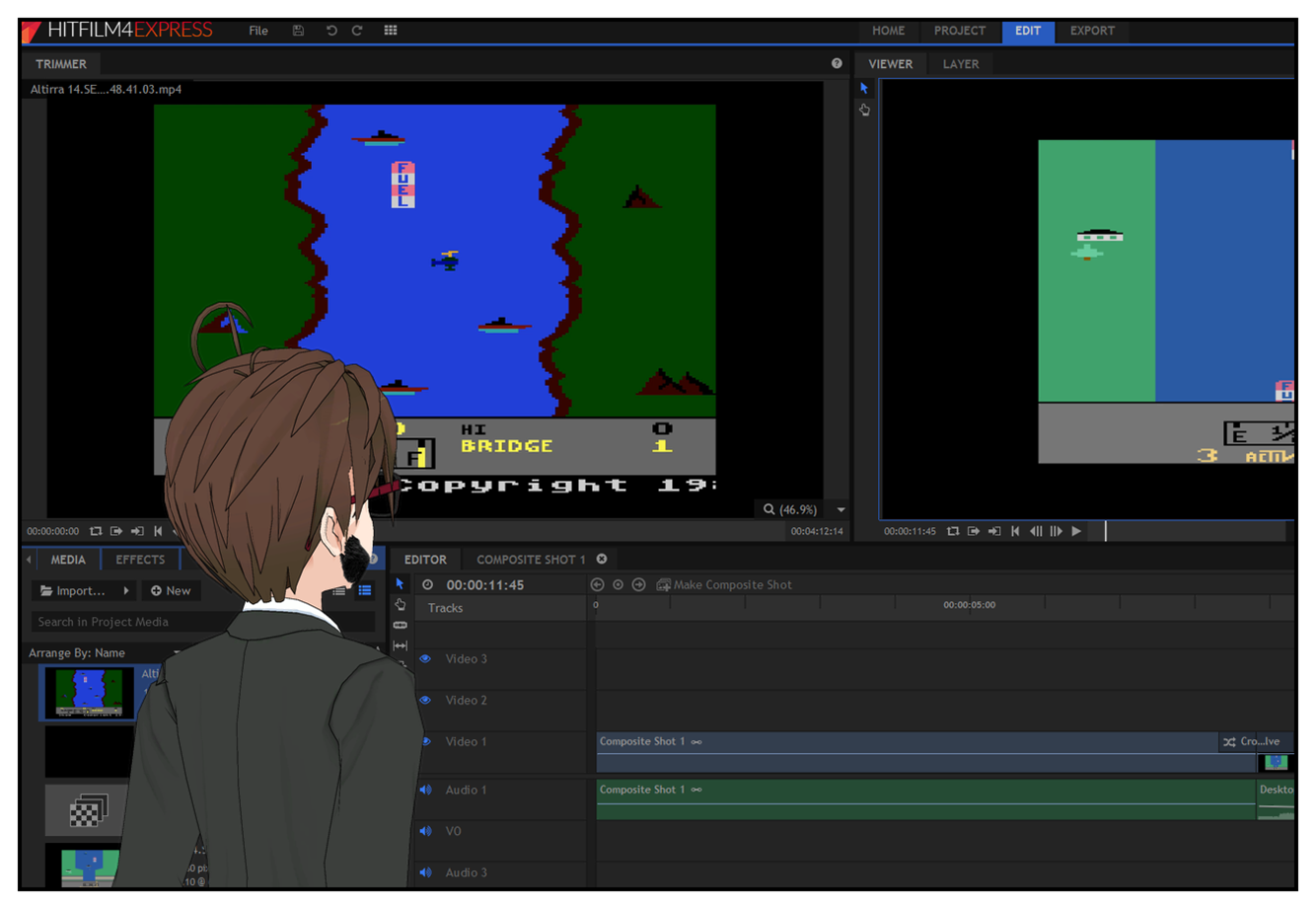
I wanted to take a moment to talk about making this video, as its production involved the discovery of a really fine piece of free software: Hitfilm 4 Express.

Hitfilm 4 Express is a fully-featured non-linear video editor in the Final Cut mould, with a particular emphasis on compositing. It allows you to import media in a variety of formats — both still images and video sequences — and edit them together using an extremely professional-looking (and rather daunting!) collection of tools. Once your masterwork is complete, you can then export it to all the usual formats as well as upload it completely seamlessly to YouTube with minimal fuss.

I'm particularly enamoured with the YouTube connectivity as my past experience with making movies using my PC has been with Windows Movie Maker, which by default exports in a horrible format that YouTube then has to spend several hours converting and optimising after you upload it. This video, meanwhile, was ready to watch mere minutes after uploading, suggesting that Hitfilm 4 Express was smart enough to encode it in the appropriate format for YouTube automatically without me having to do anything else. It even kept it in 1080p/60fps format, which is arguably a bit wasteful for a video about an Atari 2600 and 8-Bit game, but eh; YouTube viewers are picky bastards and whinge if you don't upload in the highest quality possible even if it is of practically no benefit to the source material whatsoever.

Anyway. I've barely scratched the surface of what Hitfilm 4 Express offers so far, but I'm in love. It's a full, professional-grade package for free that can be further expanded by purchasing effects modules that plug into it — which is where they make their money. It's free software that isn't riddled with toolbars for your browser, pop-up adverts and nag screens — it's simply an excellent package that did exactly what I wanted it to with minimal fuss, albeit a little bit of reading the manual.

On that note, probably time for bed. (If you're wondering about the posting time, Andie is working nights at the moment which means both our sleep patterns are pretty screwed. I'm taking advantage of the quiet time to Get Things Done.)